 Build faster with AI — Get started with the Nium MCP Server
Card Security
Card security features help cardholders access their PIN, manage PIN-related restrictions, and securely view sensitive card details. Availability and PIN handling differ by issuing region.
PIN requirements by region
A card PIN is a four- or six-digit code used to verify the cardholder during supported ATM and point-of-sale (POS) transactions. Cardholders should keep their PIN confidential.
| Country or region | PIN digits |
|---|---|
| Singapore | 6 |
| Europe and the United Kingdom | 4 |
| Australia | 4 |
| Hong Kong | 6 |
PIN management operations are not available in every issuing region. Review the regional restrictions below before integrating an API.
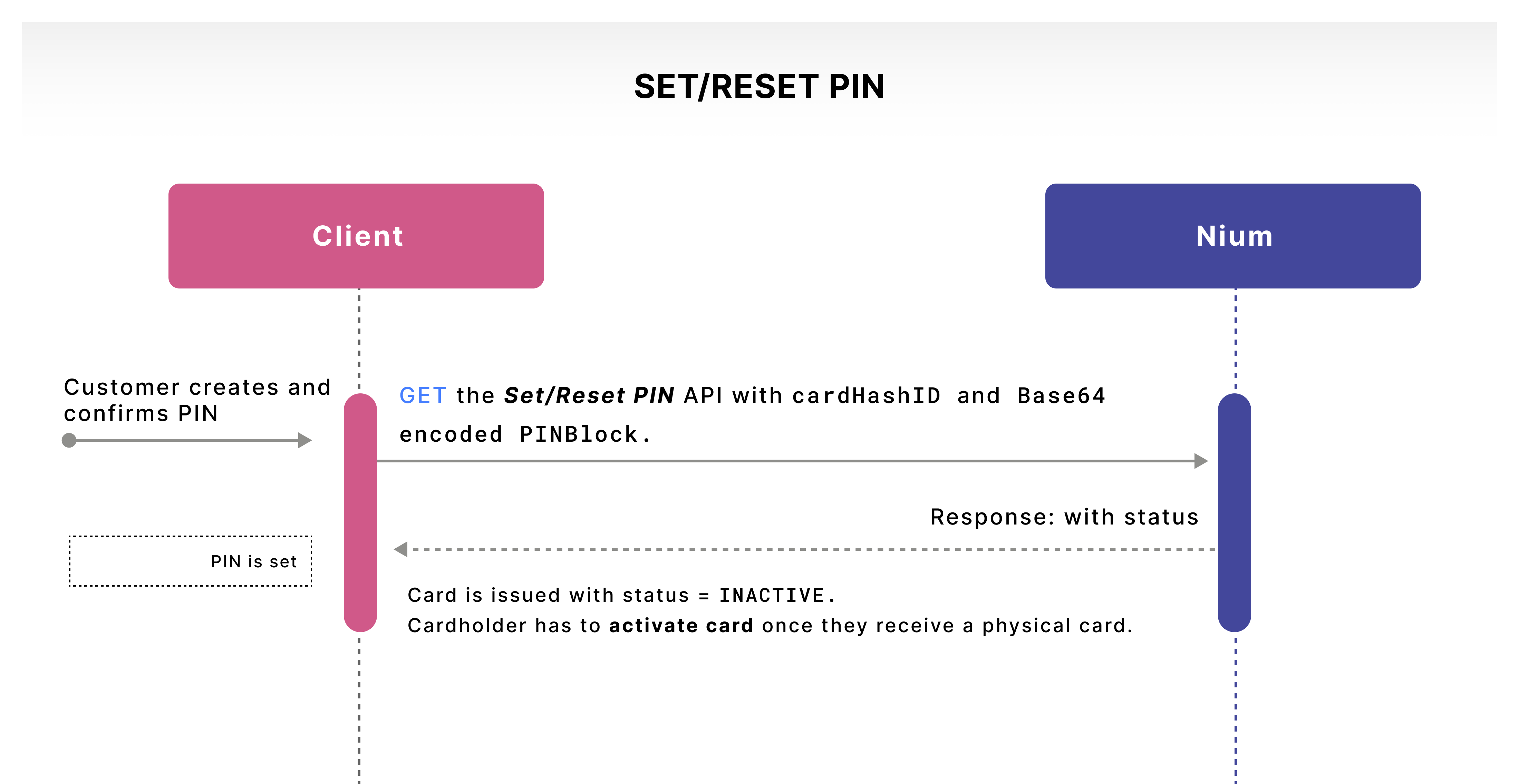
Set or reset a card PIN
For supported regions outside the EU and UK, use the Set/Reset PIN V2 API to set or reset a card PIN. The integration supplies the PIN value in the format required by the API, including Base64 encoding where specified.
The Set/Reset PIN V1 API is not available for EU- and UK-issued cards.
Base64 encoding is not encryption. Follow the API's security requirements for transmitting and handling PIN data. Do not log, store, or expose cleartext PINs unnecessarily.
Offline PIN for EU and UK
EU- and UK-issued physical EMV chip cards can use offline PIN verification at terminals that support it. In this method, the terminal verifies the entered PIN against information securely stored on the card's chip, rather than requesting online PIN verification from the issuer.
Depending on the card and terminal capabilities, PIN verification may use enciphered or plaintext PIN transmission between the terminal and chip. Cardholders can change their PIN at an ATM or terminal that supports the relevant offline PIN management function.
The ability to change an offline PIN does not necessarily mean a terminal can unblock a PIN. Confirm supported recovery procedures with Nium before providing region-specific instructions.
Retrieve a card PIN
For EU- and UK-issued physical cards, the cardholder receives a preset PIN. Where supported, the client can implement the Fetch ATM PIN V1 API so the cardholder can view their PIN securely in the client's application.
The returned PIN information is protected and must be processed and displayed according to the API's security requirements. Do not expose the PIN in application logs, analytics, or unprotected user-interface elements.
Fetch ATM PIN V2
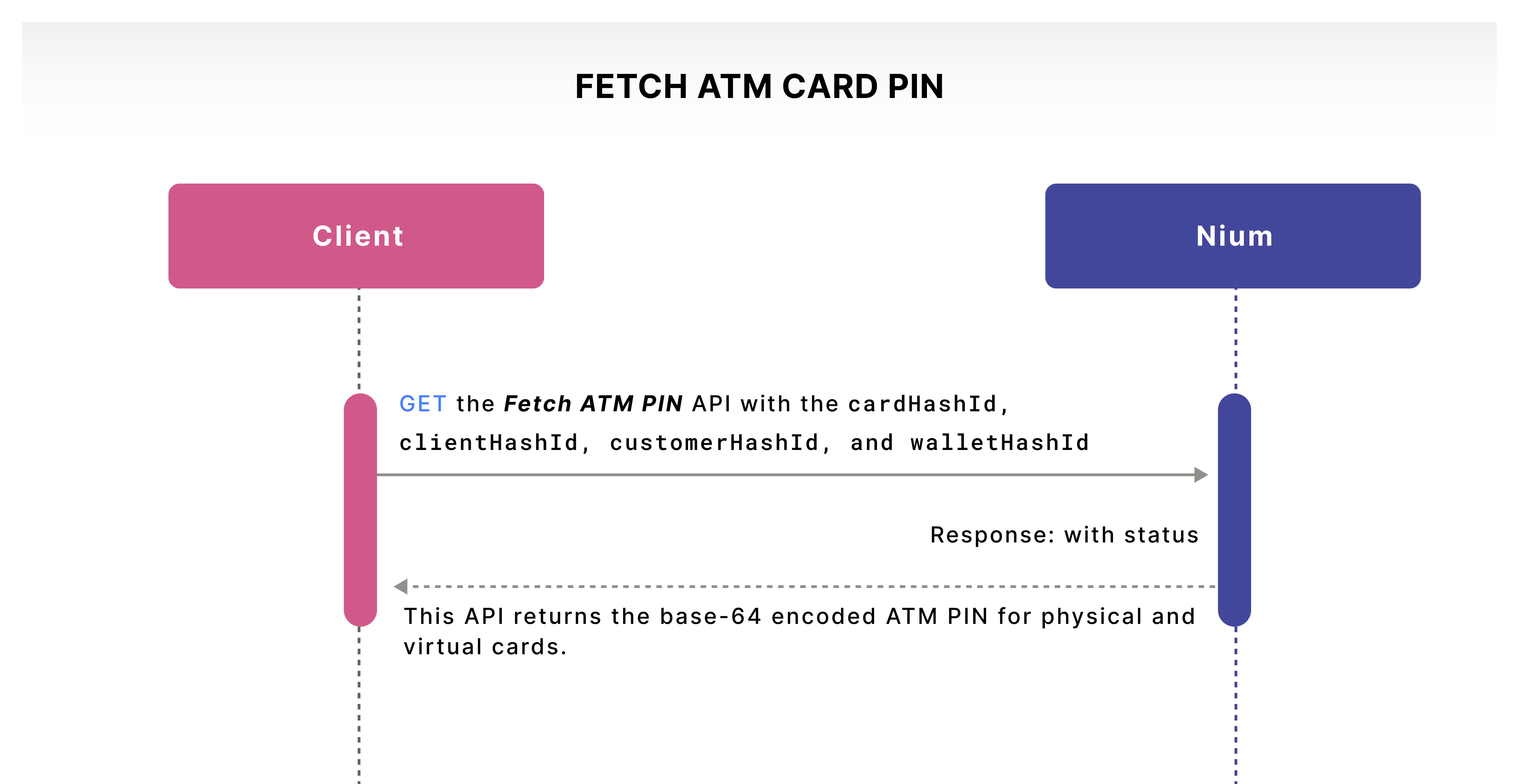
The Fetch ATM PIN V2 API returns a Base64-encoded ATM PIN for supported physical cards, including cards upgraded from virtual to physical.
- Available only for EU- and UK-issued cards, according to the current guide.
- Not supported for virtual-only cards.
The guide references both V1 and V2 Fetch ATM PIN operations. Confirm their respective response formats, eligibility, and intended integration paths with the API team before implementation.
Check PIN status
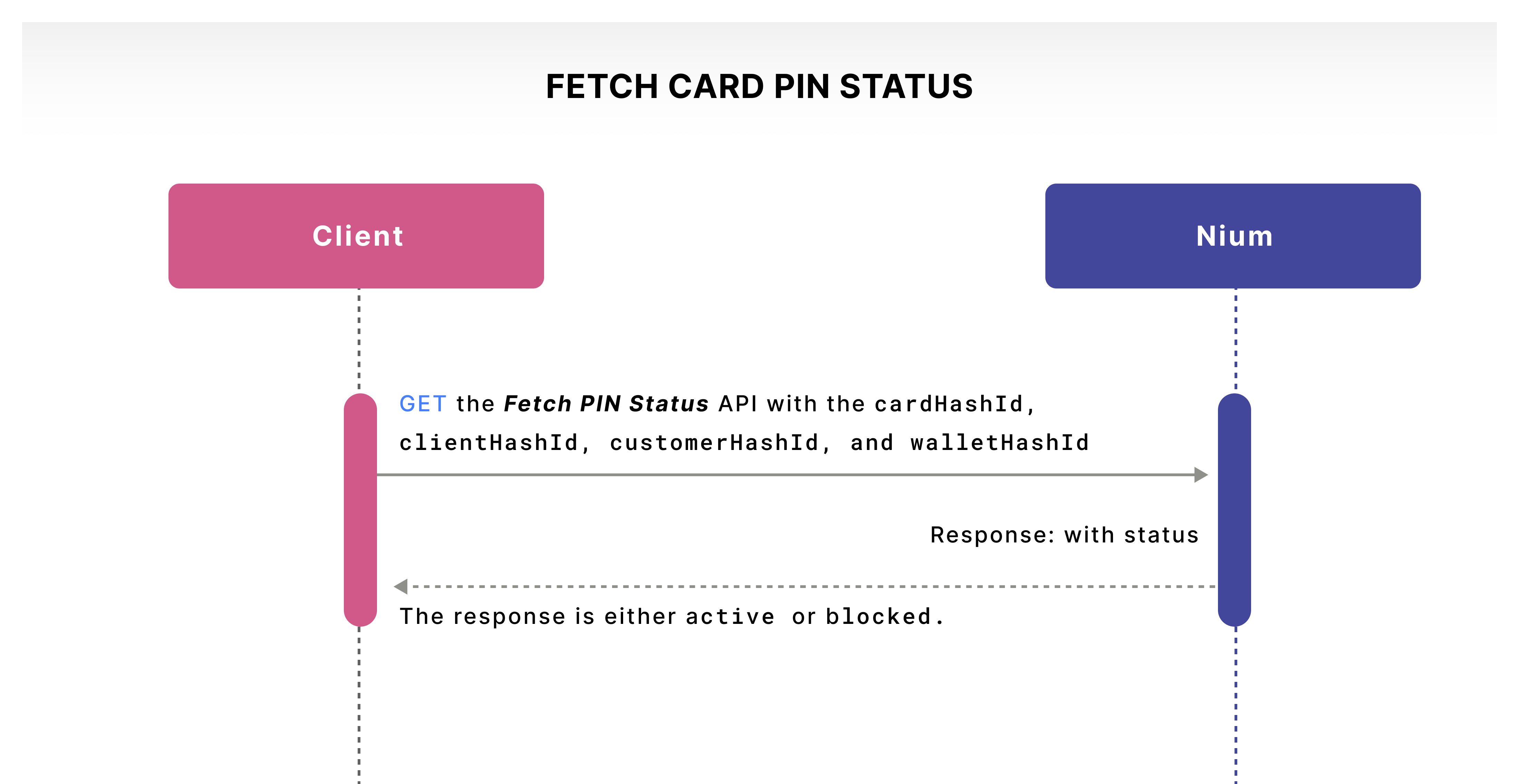
If the PIN is entered incorrectly three times, it may become blocked. Use the Fetch PIN Status API to retrieve the PIN status and display an appropriate message to the cardholder.
A blocked PIN prevents PIN-dependent transactions; whether other transaction channels remain available depends on the card's state and applicable controls.
Unblock a PIN
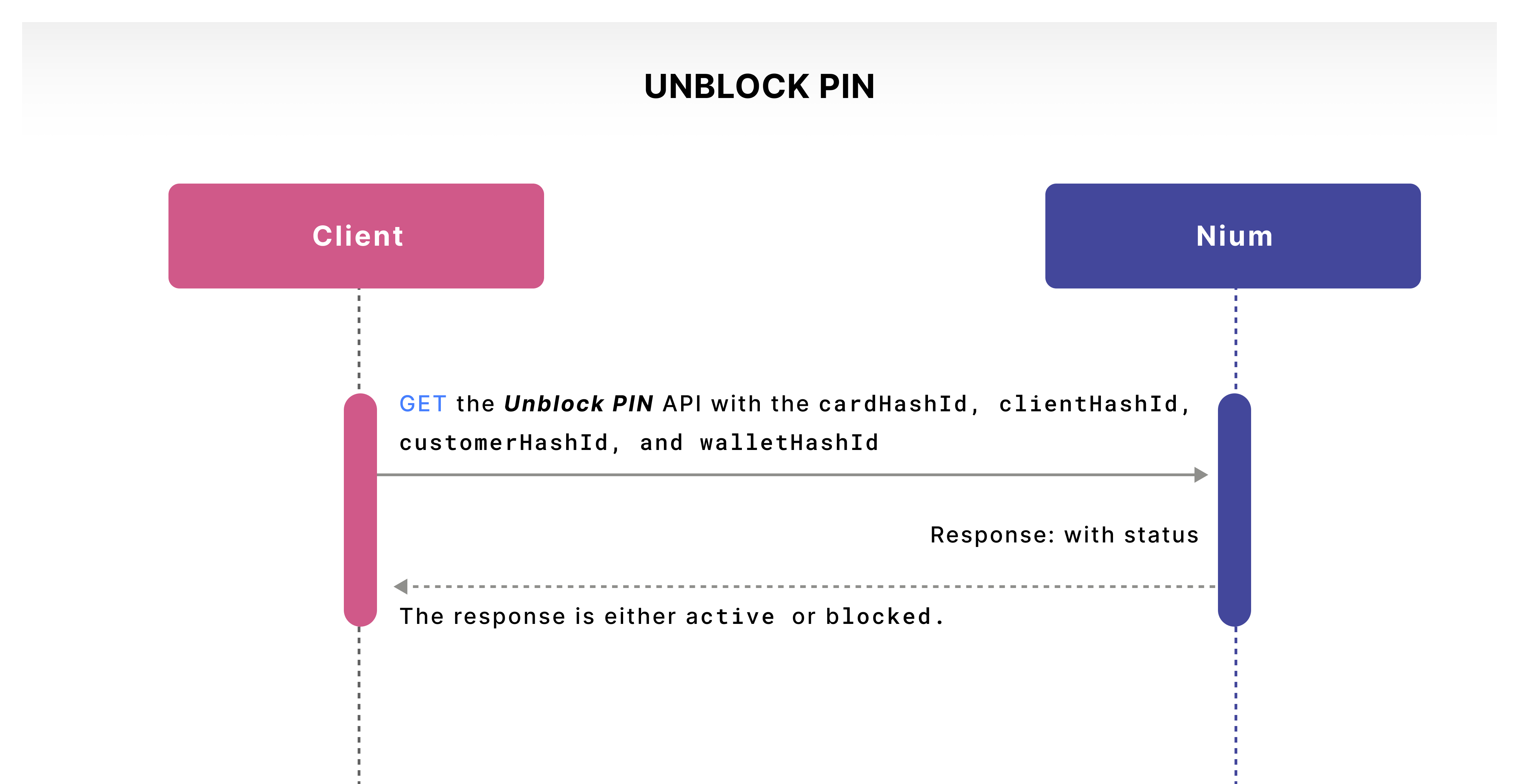
For supported APAC-issued cards, use the Unblock PIN API to unblock a PIN through the client's application.
Regional availability: This API is available only in APAC.
The Unblock PIN API is not available for EU- and UK-issued cards.
If the PIN becomes blocked, the cardholder should contact their card program's customer support team for assistance. Depending on the card program and ATM capabilities, recovery may be possible at a compatible ATM supporting offline PIN management.
Clients must confirm the supported EU/UK recovery procedure with their Nium representative before instructing cardholders to use an ATM to unblock their PIN.
Retrieve sensitive card data
Use the Fetch Card Data Encrypted V2 API to retrieve sensitive card details, such as the unmasked card number, CVV, and expiration date, for secure display in the client's application.
The API uses Pretty Good Privacy (PGP) encryption. Clients must complete the required PGP key exchange with Nium before using the encrypted response.
Decrypted card data is sensitive. Handle, display, and retain it only in accordance with applicable PCI DSS requirements and the agreed integration design. Using encryption does not, by itself, establish PCI DSS compliance.
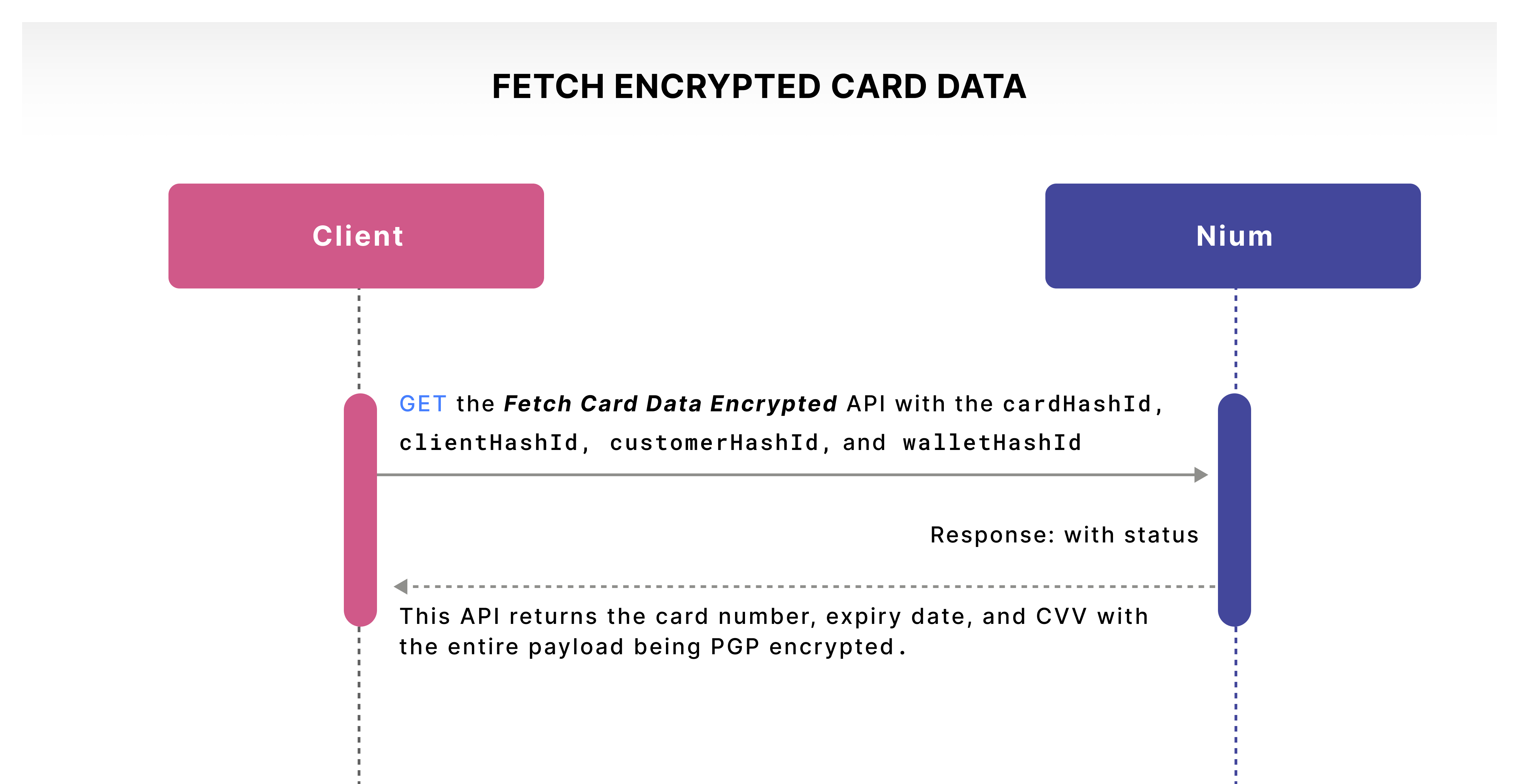
Encrypted response using the client's PGP key
The Fetch Card Data Encrypted V2 API can return the card number, CVV2, and expiration date in a PGP-encrypted payload when encryption is enabled for the client.
Request example
curl --request GET \
  'https://gateway.nium.com/api/v2/client/{clientHashId}/customer/{customerHashId}/wallet/{walletHashId}/card/{cardHashId}/retrieve' \
  --header 'content-type: application/json' \
  --header 'x-api-key: YOUR_API_KEY' \
  --header 'x-request-id: 123e4567-e89b-12d3-a456-426655440000' \
  --header 'x-client-name: YOUR_CLIENT_NAME'
Replace placeholders with your integration's values. Never include real API keys in documentation, code repositories, or logs.
Response example (PGP-encrypted)
-----BEGIN PGP MESSAGE-----
Version: BCPG v1.63

hQIMA/2Wo3RK+l68ARAAp3wKdl4XvKfYXrlJKpsuUAR+CoVB6CZuSHjQE0iRiP+x
6fgDDA8eRc9O0U99LXJQouI/ffNzS/cIy4wya4dpMYa5K9U0KqakqMN0fDGUee6N
tab72R2fCfx/lf8FCb8csWwK4ctXaoC0Bt76JwOopBrQ4/jqMTUl0uJ6hVQSoK2N
ZOozUrbvqECFAQBR3RTBPFLuAUAxW0noyPqgkmZr+wfPBextutwAPMyJmHUJo3Ts
jmzJtbKdD+Xizd1zkn7lUVmBm/911d+ZTfbAXlVzbZZagFw/js1wNuYkxGiniNaC
aRfVyke/KvAlK397vizgval44Cibb0yhmSzi0SHWnm9BUjdY/tvH9UBBWPgCPG/Z
NZ2JGzJWixbtYbudCfuPeCjtwPltX2tVXQ0ejKEOASMxdh2iCgsX5tpHWocMa544
s9p8aXjQw5iHlSjPAG/8gh2jHmTyJPGZgtRdqqA65786/MzixC1dDfg7E+wOYOVA
ZtyAIjE/ejzRyg0gDw4HCYGBQPz1UcSA6FQ+b2pSrO9DGixcnLGasbASWUcUZVPH
+LyKj0t5+R6p9xMH4hH1AxzvZQwTl8B8zRtvtZEy1jMD3W0lNT/vdNMXncySfpIu
9nrBl+Oo/p+ZY2in6qMoKjCOY7UPvtWJungi+WOK6p5TAyaq3PrVrETe0KKNr4nS
fgH+G6eRbhGfruXkS5WKAOCx8eTdJlfCG1HyP2mn1ge/dKh9KCfnrJRcIS+LqthO
pTarSFpN3ZP8NbxKTjksCY5SJnRzc+SY/V7oC6EVYvgNNJryPevSZqcKL33qRufw
hE2hwKHlhiK8QwrzBBwyPaOUZRuHEXxQPJqsew12rA==
=ODQ2
-----END PGP MESSAGE-----
Example payload after decryption
{
  "cvv": "715",
  "expiry": "12/26",
  "unMaskedCardNumber": "4613200505649498"
}
The decrypted payload is illustrative. Do not use example card details as test credentials. Confirm the exact response schema in the API reference.
Example outcomes
| Scenario | Expected result | Explanation |
|---|---|---|
| Client encryption enabled | Success | Encrypted card data can be returned for eligible cards. |
| Client encryption not enabled | Failure | The client encryption setup is unavailable. |
Card status: Active, Inactive, T_BLOCK, Virtual_Active | Success | Listed as eligible in the source guide; verify exact status enum values. |
Card status: Expired, P_Block | Failure | Listed as ineligible in the source guide; verify exact status enum values. |
Card statuses are shown as provided in the original guide. Confirm their exact API values and eligibility before treating this table as a definitive validation matrix.
Related guides
- Card Lifecycle — Card activation, locking, blocking, replacement, and renewal.
- Manage Cards — Card limits and restrictions.
- PGP Prerequisites — PGP key setup for encrypted card data.